
Saving Projects from Blender
Best practices for exporting your 3D project correctly for multi-PC rendering. Learn how to prepare and save your Blender projects to ensure smooth distributed rendering across your network.
Go to the Output tab, scroll down, and find the Renderfix section.
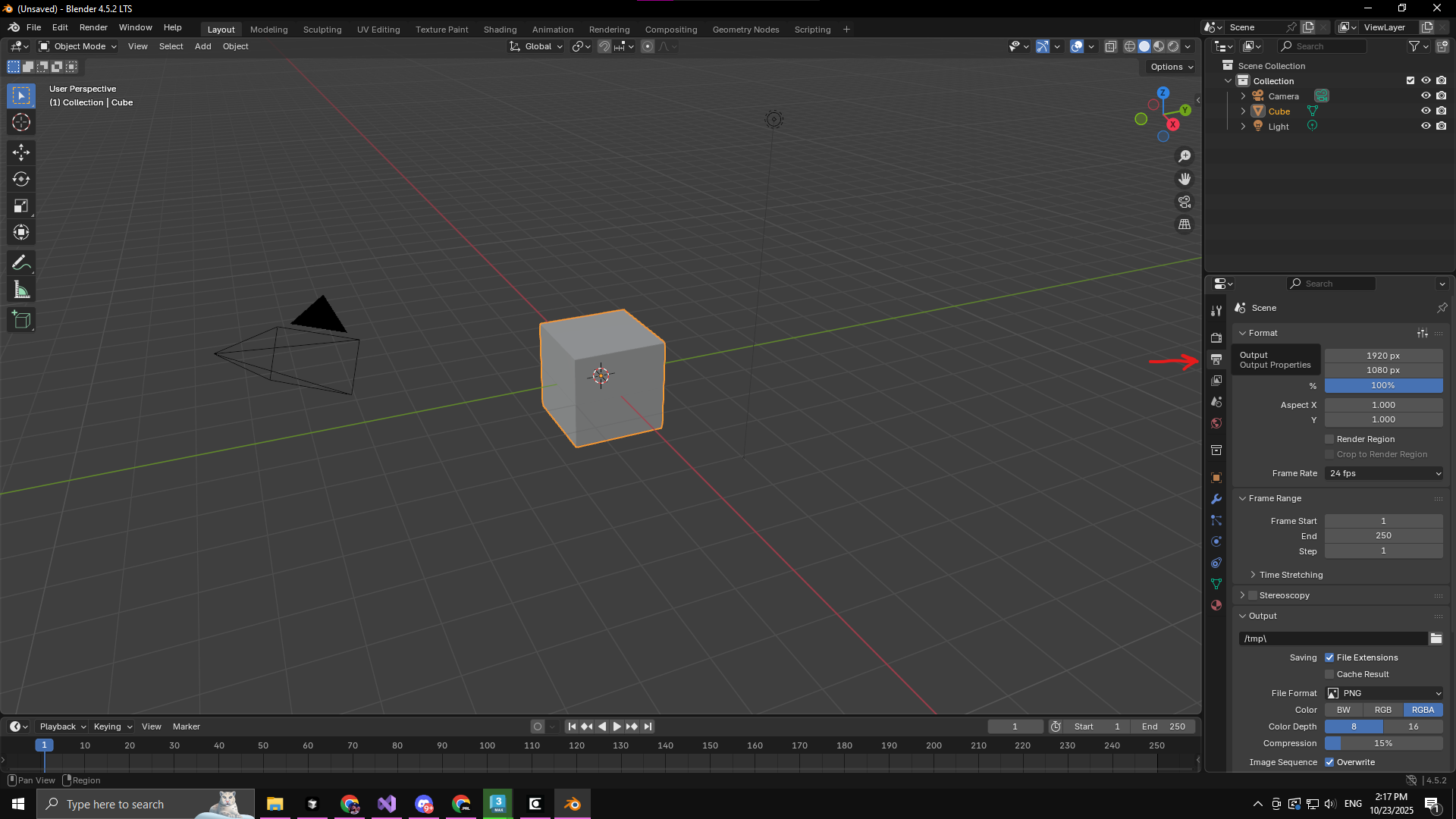
Navigate to the Output tab in Blender
You can choose between Deploy Single Render and it will deploy single frame render or Deploy Animation and it will deploy animation in the frame range you have set in that output tab.
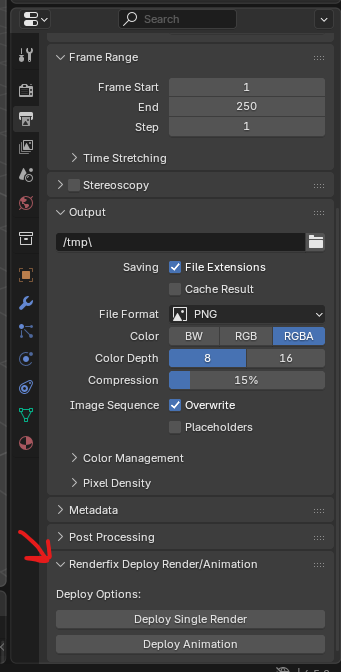
Renderfix section visible in the Output tab
After deploy, a success message is displayed at the bottom.

Deploy success message in Blender
Blender deployed tasks should look like this in CoreFinder:

Deployed Blender tasks in CoreFinder